Printing
72, 150 or 300 DPI: which resolution should you use for printing?
Understand what DPI means, when 300 DPI matters and why the physical print size is just as important as the pixel dimensions of the image.
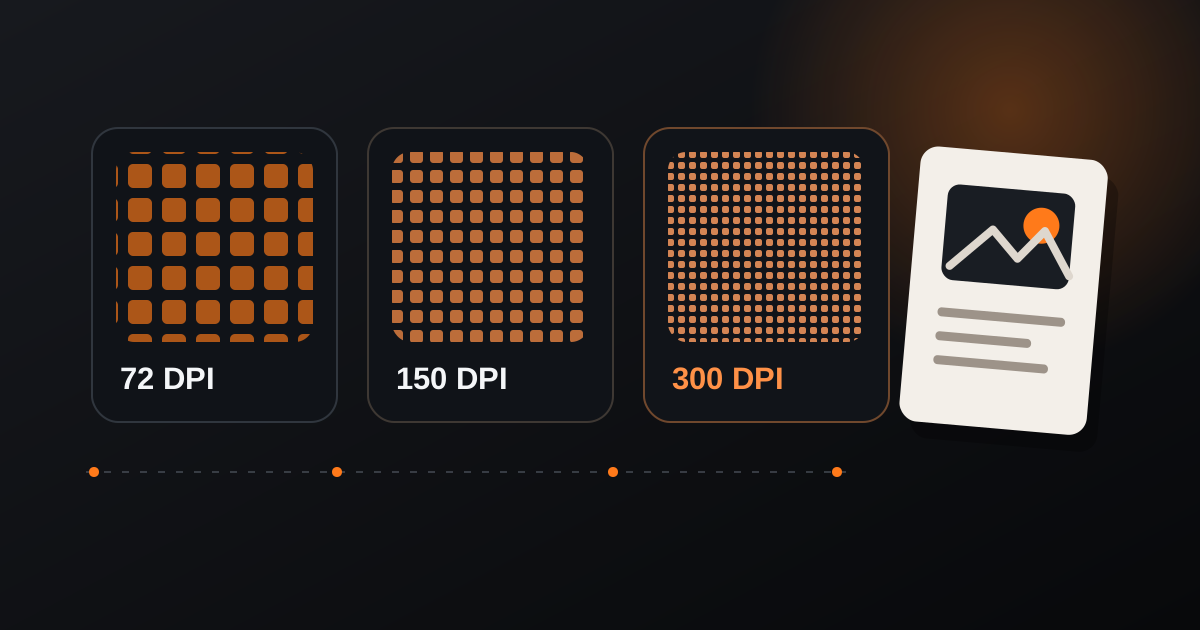
DPI is often treated as a single quality number, but print resolution only makes sense together with the physical size of the final piece and the pixel dimensions available in the image. A file can be 300 DPI and still be too small for a large print, while a lower effective resolution can be acceptable for material viewed from farther away.
What DPI actually tells you
DPI describes how densely image information is placed across a physical inch of print. The more pixels available for each inch, the finer the printed detail can be.
The useful question is therefore not only “what DPI is this file?” but also “at what physical size will these pixels be printed?”. The same image can produce different effective resolutions depending on the chosen width and height.
When 300 DPI is a good target
For pieces that will be seen closely, such as cards, flyers, photos and many small-format prints, 300 DPI is a common practical target because it preserves fine detail well when the source image has enough pixels.
Larger pieces viewed from a greater distance may work well with a lower effective resolution. The correct value depends on the printing process, viewing distance and expected detail.
Check pixels before enlarging
Changing only the DPI metadata does not create new real detail. If the source file does not contain enough pixels, setting the number to 300 cannot magically restore information that is not there.
Before sending artwork to print, calculate the relationship between pixel dimensions, physical size and target DPI. This avoids enlarging a small image beyond what its detail can support.
- Check the image dimensions in pixels.
- Define the final physical print size.
- Calculate the effective DPI at that size.
- Evaluate viewing distance and printing method before deciding.
DPI is most useful as part of a calculation, not as an isolated label. Use the pixel dimensions and final print size together, then choose a resolution that fits the real viewing conditions.